Adapters

Filters

About Adapters.

Network adapters add connectivity to computers that do not have it — a desktop PC without Wi-Fi, an older laptop stuck on an outdated standard, or a machine that needs a faster wired port.

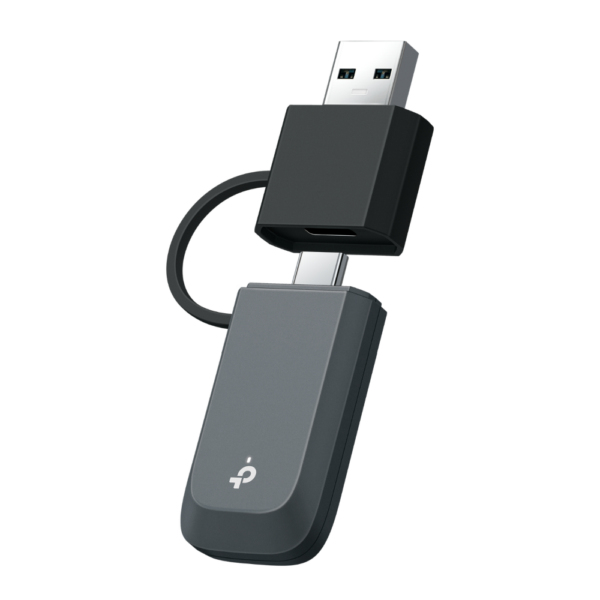
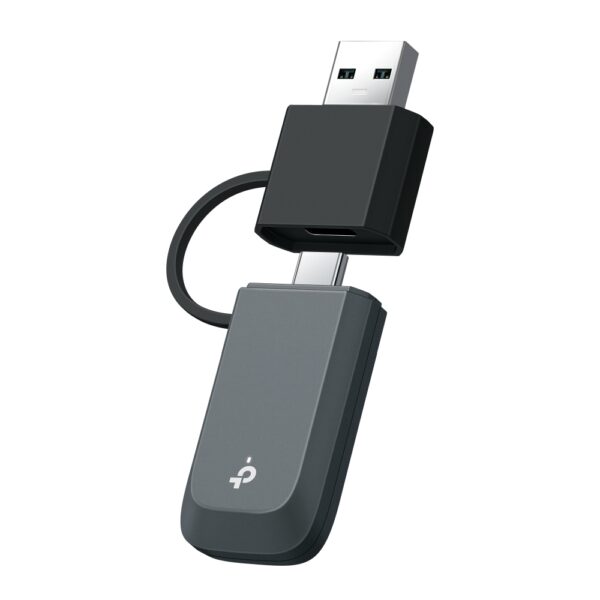
USB adapters are the simplest: plug one in and the computer gets modern dual-band Wi-Fi, often with Bluetooth in the same dongle. PCIe cards suit desktops better — external antennas and a more stable signal, with Wi-Fi 6 and Wi-Fi 7 models available. Gigabit and 2.5G USB/PCIe Ethernet adapters cover the wired side when the built-in port is too slow or has failed.

An adapter is also the cheapest way to benefit from a new Wi-Fi 6 or Wi-Fi 7 router without replacing the whole computer. We are the official TP-Link partner in Azerbaijan: original products with an official warranty.

How to choose a USB Wi-Fi adapter

A Wi-Fi adapter connects a desktop computer or an older laptop to wireless internet. People buy one in two situations: the computer has no Wi-Fi module at all, or the module is old and cannot see the 5 GHz band.

1. The main rule: 5 GHz support

Cheap single-band adapters work only on 2.4 GHz, a crowded and slower band. If your router is dual-band — and almost every current model is — choose a dual-band adapter (AC or AX): on 5 GHz the speed is several times higher and the latency lower.

2. Model comparison

ModelStandardBest for
TL-WN725N, TL-WN823NN150–N300 (2.4 GHz)The simplest needs — documents, messaging, video calls
Archer T2U, T3UAC600–AC1300Dual band — everyday work and video
Archer T4U, T9UHAC1300–AC1900Fast plans, a far room, models with antennas
Archer TX20U, TX50EWi-Fi 6 (AX)A home with a Wi-Fi 6 router, gaming and downloads

3. Nano or antenna model?

Nano models (TL-WN725N, T2U Nano) barely stick out of the port — handy on a laptop, but weaker at picking up signal. Antenna models (T9UH, T4U) make a clear difference in a far room or behind a wall. If the tower sits under the desk, choose antennas: the metal case smothers the signal.

4. Do you need Bluetooth?

Some models (TX20UH, Archer TX50E) include Bluetooth alongside Wi-Fi — no separate dongle for headphones, keyboards or gamepads.

5. Setup

Windows 10 and 11 recognise most models automatically. Occasionally a driver from the disc or from TP-Link's site is needed. Plug USB 3.0 models into a blue USB 3.0 port — a USB 2.0 port caps the speed.

Frequently asked questions

Which adapter is faster?

The dual-band ones (AC/AX). The final speed still depends on your router and plan — an AX adapter adds nothing to an old N router.

What should I pick for a desktop?

An antenna model (Archer T4U, T9UH) — the metal case means a nano adapter receives poorly. If possible, raise it onto the desk with a USB extension.

Do I need a driver?

On Windows 10/11 usually not. Older Windows or Linux may need a driver from TP-Link's site.

What if I also need Bluetooth?

Combined Wi-Fi + Bluetooth models exist — one port covers both.

Is there a warranty?

Yes, all equipment is sold with an official warranty from TP-Link's official partner in Azerbaijan.

Need installation too?

Router and mesh setup, ISP configuration and a Wi-Fi survey — from 25 ₼. Free site visit and quote in Baku, six months warranty.

Wi-Fi installation service →
Select the fields to display. The others will be hidden. Drag to reorder.
  • Image
  • SKU
  • Rating
  • Price
  • In stock
  • Availability
  • Add to cart
  • Short description
  • Description
  • Specifications
Click outside to hide the compare bar
Compare