PoE

Filters

About PoE.

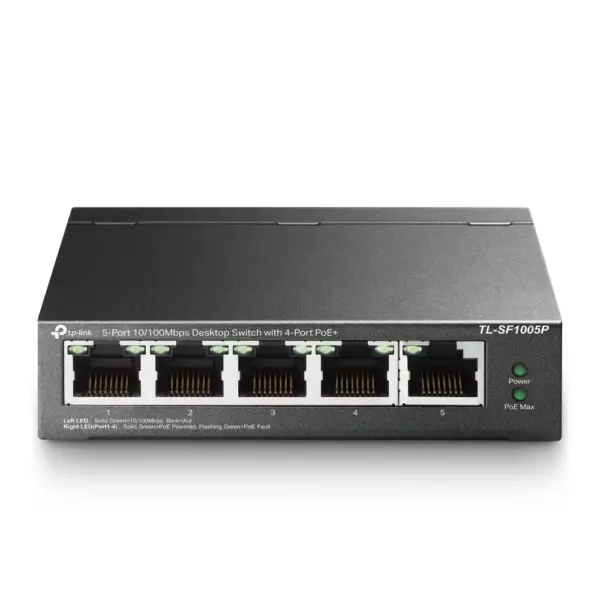
PoE SOHO switches both connect and power your devices. An IP camera, an access point or a VoIP phone needs only one Ethernet cable — no power socket at the mounting point and no separate adapter.

Compact 4, 8, 16 and 24-port models with different power budgets cover everything from two cameras at a front door to a full office floor. Non-PoE ports on the same switch still serve computers and printers as usual, and PoE+ models supply enough power for pan-tilt cameras and dual-band access points.

When choosing, the total power budget matters more than the port count: add up what your cameras draw and leave some headroom. Send us the list and we will size it. We are the official TP-Link partner in Azerbaijan.

How to choose a SOHO switch — for home and small offices

A switch splits one network line between several devices: people buy one when the router runs out of ports and a TV, computer, console, printer or cameras need a wired connection. Three things decide the choice: port count, speed (100 Mbps or gigabit) and whether PoE is needed.

1. Speed: 100 Mbps or gigabit?

If your plan is faster than 100 Mbps, buy a gigabit model — a plain 100 Mbps switch drags the whole line down to its own level and you never see the speed you pay for. Models starting with TL-SG are gigabit, TL-SF are 100 Mbps. The price gap is small, the difference in result is not.

2. How many ports?

The rule: number of devices + 1 (the line from the router) plus some spare. Three devices — a 5-port model; six or seven — 8 ports; a small office — 16 or 24. Filling every port leaves you no room to grow.

3. Do you need PoE?

If cameras or access points will be connected, choose a PoE switch: one cable carries data and power, so no separate socket is needed. If only a computer and a TV are plugged in, PoE is unnecessary and a plain model costs less. For surveillance see the PoE switches section.

4. Managed or unmanaged?

TypeExamplesBest for
UnmanagedTL-SG105, TL-SG108, TL-SF1008DHome, small office — plug in and forget
Unmanaged with PoETL-SG1005P, TL-SG1008P2–4 cameras or access points
Smart / managedTL-SG105E, TL-SG108E, TL-SG2008VLANs, separating guest traffic, monitoring
Rack-mount (19")TL-SG1016, TL-SG1024Office cabinet, 16–24 points

At home and in a small office an unmanaged model is perfectly enough. The "E" models make sense once you need VLANs, port monitoring or traffic limits.

5. Installation and cabling

A switch needs no configuration: plug the router's cable into any port. Use Cat5e or Cat6 cable with a maximum run of 100 metres. If it goes into a metal cabinet, check the ventilation.

Frequently asked questions

Does a switch slow the internet down?

A gigabit one does not. A 100 Mbps model caps every connected device at that speed, which is obvious on a fast plan.

What is the difference between a switch and a router?

A router shares the internet and provides Wi-Fi; a switch only adds wired ports and does not provide internet on its own.

How many ports should I buy?

Add one port for the router line and one or two spare to your device count. For four devices an 8-port model is comfortable.

Which switch do cameras need?

One with PoE. With more than four cameras, or outdoor ones, the PoE budget matters — we calculate it during the site visit.

Is there a warranty?

Yes, all equipment is sold with an official warranty from TP-Link's official partner in Azerbaijan.

Need design and installation?

Office network design, cabling, switch and access point setup — from 200 ₼. Free site visit in Baku, six months warranty.

Office network service →
Select the fields to display. The others will be hidden. Drag to reorder.
  • Image
  • SKU
  • Rating
  • Price
  • In stock
  • Availability
  • Add to cart
  • Short description
  • Description
  • Specifications
Click outside to hide the compare bar
Compare