TP-Link TL-WN725N

150Mbps Wireless N Nano USB Adapter

Original price was: 15 ₼.Current price is: 13 ₼.

Birbank logo
Installment payment calculator with Birbank
Installment payment terms apply to the non-discounted price
0%
2 mon.
0%
3 mon.
0%
4 mon.
0%
5 mon.
0%
6 mon.
Monthly payment 7.5 ₼
Need installation too?Site visit and quote in Baku are freeWi-Fi and router installation →

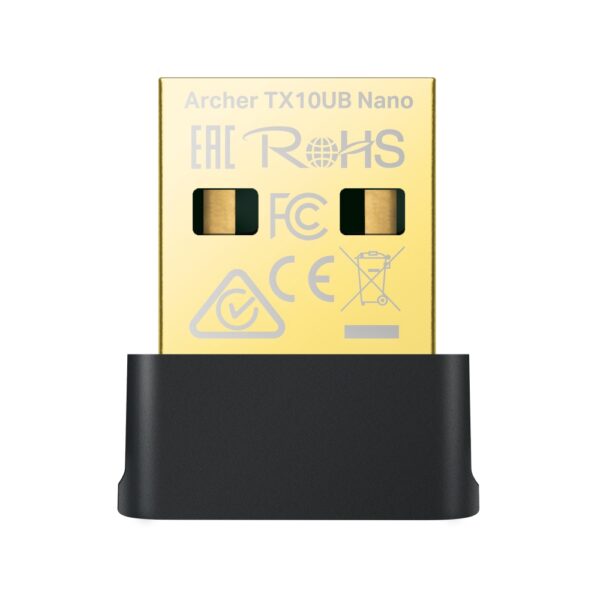
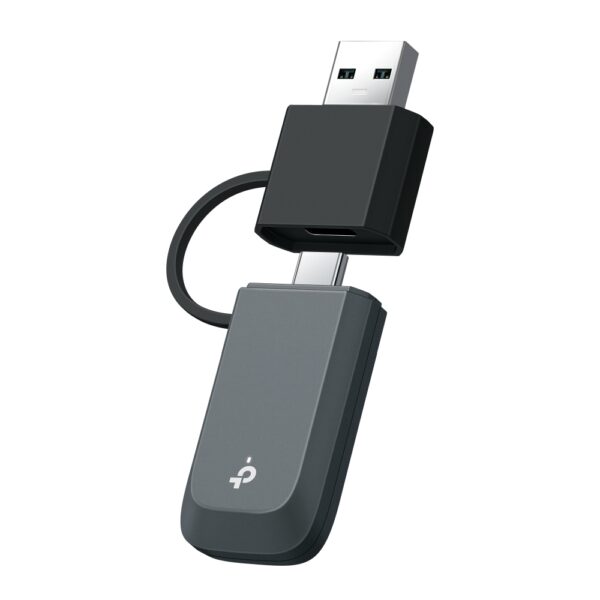
TP-Link TL-WN725N is a nano-sized USB Wi-Fi adapter rated at 150 Mbps. At just 2.1 grams and 19 × 15 × 7 mm it stays in the laptop port permanently.

  • Up to 150 Mbps on 2.4 GHz — enough for browsing, video and document work;
  • Nano design — no need to remove it from the port, little risk of snapping it;
  • 802.11b/g/n support — works with every existing 2.4 GHz router;
  • Built-in antenna — nothing protrudes;
  • WPS button support — join a network without typing a password;
  • USB 2.0 interface — compatible with older desktops too.

The most affordable fix for laptops with a failed Wi-Fi module and desktops with no wireless at all. Supplied with the official TP-Link partner warranty in Azerbaijan.

HARDWARE FEATURES
Interface USB 2.0
LED Status
Weight 0.07 ounces / 2.1 grams (Without packaging)
Dimensions ( W x D x H ) 0.73×0.59×0.28in.(18.6x15x7.1mm)
Antenna Internal antenna
WIRELESS FEATURES
Wireless Standards IEEE 802.11b, IEEE 802.11g, IEEE 802.11n
Frequency 2.400-2.4835GHz
Signal Rate 11b: Up to 11Mbps (dynamic)
11g: Up to 54Mbps (dynamic)
11n: Up to 150Mbps (dynamic)
Reception Sensitivity 130M: -68dBm@10% PER
108M: -68dBm@10% PER
54M: -68dBm@10% PER
11M: -85dBm@8% PER
6M: -88dBm@10% PER
1M: -90dBm@8% PER
Transmit Power <20dBm
Wireless Modes Ad-Hoc / Infrastructure mode
Wireless Security Supports 64/128 WEP, WPA/WPA2, WPA-PSK/WPA2-PSK (TKIP/AES), supports IEEE 802.1X
Modulation Technology DBPSK, DQPSK, CCK, OFDM, 16-QAM, 64-QAM
OTHERS
Certification CE, FCC, IC, RoHS
Package Contents 150Mbps wireless N Nano USB adapter TL-WN725N
Resource CD
Quick Installation Guide
System Requirements Windows 11/10/8.1/8/7/XP,
Mac OS 10.15 and earlier,
Linux
Environment Operating Temperature: 0℃~40℃ (32℉~104℉)
Storage Temperature: -40℃~70℃ (-40℉~158℉)
Operating Humidity: 10%~90% non-condensing
Storage Humidity: 5%~90% non-condensing

Reviews

There are no reviews yet.

Be the first to review “TP-Link TL-WN725N”

Your email address will not be published. Required fields are marked *

Related Products

What TP-Link TL-WN725N is for

TP-Link TL-WN725N is an adapter that adds Wi-Fi to a computer or laptop. It is the simplest fix for a desktop PC with no built-in Wi-Fi and for older laptops with weak reception.

Buying advice: if your router supports 5 GHz (Wi-Fi 5/6), a dual-band adapter is worth it — a 2.4 GHz-only model throws away most of the speed. If the computer sits under a desk, a version with an extension cable or an external antenna will hold the signal better.

Key specifications

Up to 150 Mbps on 2.4 GHzenough for browsing, video and document work;
Nano designno need to remove it from the port, little risk of snapping it;
802.11b/g/n supportworks with every existing 2.4 GHz router;
Built-in antennanothing protrudes;
WPS button supportjoin a network without typing a password;
USB 2.0 interfacecompatible with older desktops too.

Price in Baku, delivery and installation

The current price on the site is 13 ₼. It includes the official TP-Link warranty, delivery in Baku and shipping to the regions on request.

If you also need installation, our Wi-Fi and router installation service starts from 25 ₼; the site visit and quote in Baku are free and we give a 6-month warranty.

Before you choose

For a comparison with the closest models, a price table and buying advice, see the guide for this category.

Frequently asked questions about TP-Link TL-WN725N

Are drivers needed?

On current Windows versions most models are recognised as soon as they are plugged in. For full speed and the extra features, download the driver for your model from the TP-Link site.

Will the speed match the router?

If the adapter standard or band is lower than the router, the adapter becomes the limit. That is why the adapter is matched to the router — a Wi-Fi 6 router deserves a Wi-Fi 6 adapter.

USB or PCIe for a desktop?

A USB adapter is convenient and moves between computers; a PCIe card gives a steadier signal and room for an antenna. If the computer stays in one place and you can open the case, PCIe gives the better result.

What about warranty and delivery?

The device is sold by the official TP-Link partner in Azerbaijan with official warranty. Delivery in Baku is available and shipping to the regions is possible. If you need installation, see our services page.

Select the fields to display. The others will be hidden. Drag to reorder.
  • Image
  • SKU
  • Rating
  • Price
  • In stock
  • Availability
  • Add to cart
  • Short description
  • Description
  • Specifications
Click outside to hide the compare bar
Compare