Smart Hub

Filters

About Smart Hub.

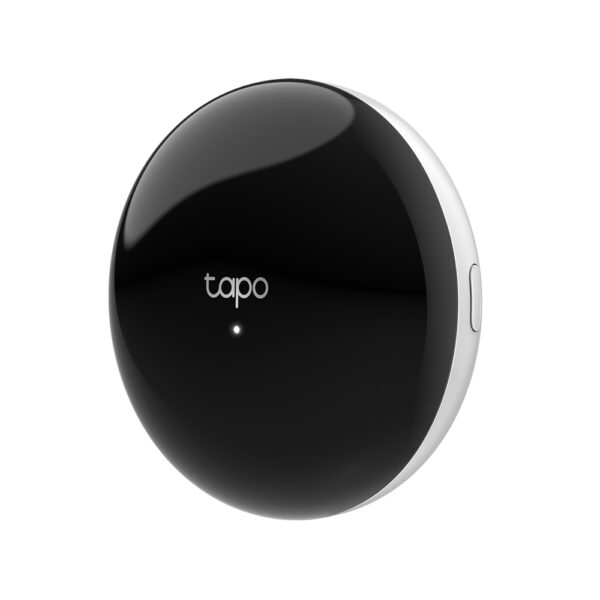
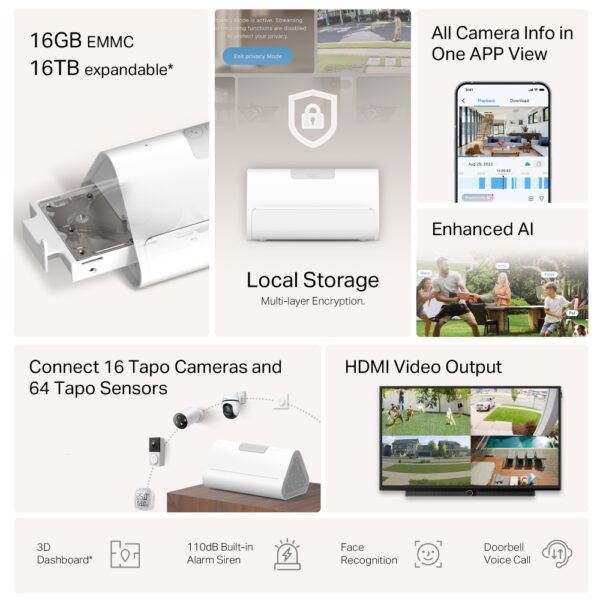
A Tapo hub is the centre of a sensor-based smart home. Sensors and buttons connect to it over a low-power radio link rather than Wi-Fi, which is why their batteries last months or years, and the hub passes everything on to your phone.

It also runs the automations: motion at night turns on a light, an open door sends a notification, a drop in temperature triggers the heating. Models with a built-in siren sound an alarm when a sensor is triggered while the house is armed, and some act as a Matter controller, linking your Tapo devices into Apple Home, Google Home, Alexa or SmartThings.

One hub serves dozens of sensors, so it is the first thing to buy if you plan more than a couple of devices. We are the official TP-Link partner in Azerbaijan.

How to build a smart home — step by step with Tapo

A smart home is not bought as one kit. The sensible route is to start with one or two devices, see the benefit, and expand from there. That is where Tapo works well: everything lives in one app, so each device you add later simply joins the system you already have.

1. Where to start

Three starting points give the most value: a smart plug (air conditioner, water heater, kettle — switch off remotely and run on a schedule), a smart bulb (brightness and colour, a gentle wake-up) and a camera (see what is happening at home). None of them need extra hardware — each connects straight to Wi-Fi.

What you wantDeviceHub needed?
Switch things off remotely, set schedulesSmart plugNo
Light colour and brightness, ambienceSmart bulbs and stripsNo
Replace the switch on the wallSmart switchNo
Be alerted when a door or window opensSensorsYes
Monitoring, alerts, recordingTapo camerasNo
Automate the cleaningRobot vacuumNo

2. When you need a hub

Plugs, bulbs, switches and cameras run directly over Wi-Fi — no hub required. A hub is only needed for sensors: door and window contacts, motion sensors, water leak detectors and buttons run on batteries, so they talk to the hub over a low-power radio protocol rather than Wi-Fi. That is what makes their batteries last years instead of months. If you are planning more than ten devices, a hub also takes load off the router.

3. Automations are where the value is

Controlling devices one by one from a phone is pleasant, but the real convenience comes from automation. The Tapo app builds if-then rules: dim the living room to 30% at sunset, turn the hallway light on for two minutes when motion is detected, switch the air conditioner off when everyone leaves, send an alert when the leak sensor triggers. Several devices can sit behind one button — a Goodnight scene that kills every light and arms the cameras, for example.

4. Voice control and compatibility

Tapo devices work with Google Assistant and Amazon Alexa — say the word and the light goes off. Some newer models support the Matter standard, which lets devices from different brands live in one system. All of this needs stable Wi-Fi: as device numbers grow you may need a mesh system or a stronger router.

Frequently asked questions

Does a smart home need rewiring?

No. Plugs, bulbs and cameras work with your existing wiring and Wi-Fi. Only a smart wall switch requires checking that a neutral wire is present in the back box.

Will devices work if the internet goes down?

The core functions stay: switches and plugs still work by hand and existing schedules keep running. Only remote control and notifications are lost.

How many devices can one app handle?

The practical limit is the Wi-Fi network, not the app. A typical home router starts to struggle past 20–30 devices — beyond that a mesh system is the better answer.

Do smart plugs show power consumption?

It depends on the model — versions with energy monitoring report consumption in the app. The product page states whether a model has it.

Is there a warranty?

All Tapo devices are sold by the official TP-Link partner in Azerbaijan with an official warranty.

Need installation too?

Router and mesh setup, ISP configuration and a Wi-Fi survey — from 25 ₼. Free site visit and quote in Baku, six months warranty.

Wi-Fi installation service →
Select the fields to display. The others will be hidden. Drag to reorder.
  • Image
  • SKU
  • Rating
  • Price
  • In stock
  • Availability
  • Add to cart
  • Short description
  • Description
  • Specifications
Click outside to hide the compare bar
Compare