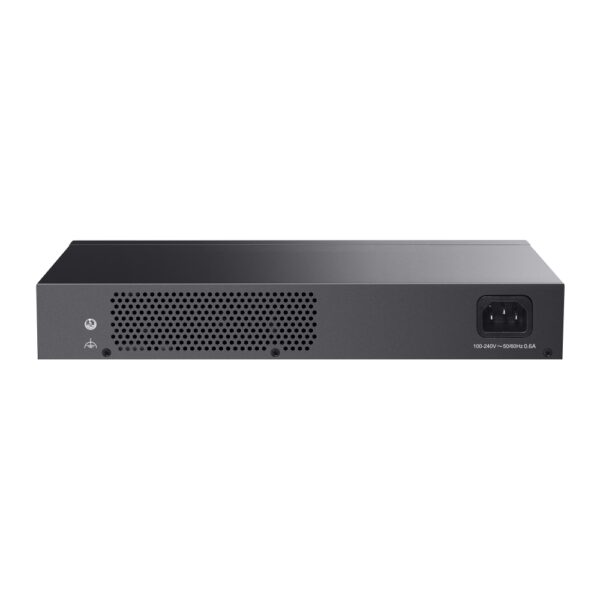
TP-Link TL-SG116P

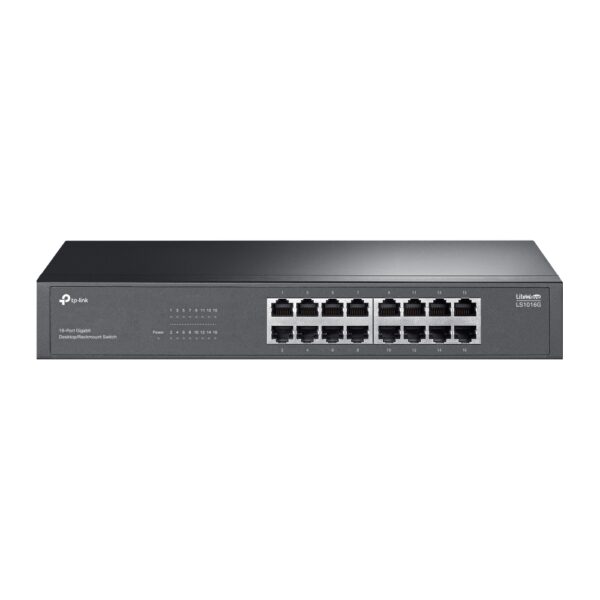
16-Port Gigabit Desktop Switch with 16-Port PoE+

Original price was: 323 ₼.Current price is: 293 ₼.

Birbank logo
Installment payment calculator with Birbank
Installment payment terms apply to the non-discounted price
0%
2 mon.
0%
3 mon.
0%
4 mon.
0%
5 mon.
0%
6 mon.
Monthly payment 161.5 ₼
Need installation too?Site visit and quote in Baku are freeWi-Fi and router installation →
  • 16× 10/100/1000 Mbps RJ45 ports
  • With 16 PoE+ ports, transfers data and power on one single cable
  • Compliance with IEEE 802.3af/at PoE+, the switch supports PoE Power up to 30 W for each PoE port
  • Supports PoE Power up to 120 W for all PoE ports*
  • Up to 250 m data and power transmission range under Extend Mode**
  • Priority Mode ensures high priority of ports 1–4 to guarantee the quality of the sensitive applications
  • Isolation Mode allows one-click client traffic separation for higher security and performance
  • Automatically reboots your dropped or unresponsive PoE-powered devices with PoE Auto Recovery
  • Plug and play with no configuration required
HARDWARE FEATURES
Interface • 16× 10/100/1000Mbps RJ45 Ports
• AUTO Negotiation
• AUTO MDI/MDIX
Network Media • 10BASE-T: UTP category 3, 4, 5 cable (maximum 100m)
• EIA/TIA-568 100Ω STP (maximum 100m)
• 100BASE-TX: UTP category 5, 5e cable (maximum 100m)
• EIA/TIA-568 100Ω STP (maximum 100m)
• 1000BASE-T: UTP category 5, 5e, 6 or above cable (maximum 100m)
• EIA/TIA-568 100Ω STP (maximum 100m)
Fan Quantity Fanless
External Power Supply External Power Adapter (Output: 53.5 VDC / 2.43 A)
Packet Forwarding Rate 23.8 Mpps
PoE Ports (RJ45) • Standard: 802.3 af/at compliant
• PoE Ports: Ports 1–16
• Power Supply: 120 W
Mac Address Table 8K, Auto-learning, Auto-aging
Switching Capacity 32 Gbps
Dimensions ( W x D x H ) 11.3 × 4.4 × 1.0 in (286 × 111.7 × 25.4 mm)
Max Power Consumption • 11.72 W (220 V / 50 Hz no PD connected) /
11.56 W (110 V / 60 Hz no PD connected)
• 142.51 W (220 V / 50 Hz with 120 W* PD connected) /
144.28 W (110 V / 60 Hz with 120 W* PD connected)
Max Heat Dissipation • 39.85 BTU/h (220 V / 50 Hz no PD connected) /
39.31 BTU/h (110 V / 60 Hz no PD connected)
• 484.53 BTU/h (220 V / 50 Hz with 120 W* PD connected) /
490.55 BTU/h (110 V / 60 Hz with 120 W* PD connected)
SOFTWARE FEATURES
Advanced Features • Compatible With IEEE 802.3af/at Compliant PDs
• Extend Mode Button (Ports 1–4, Up to 250 m PoE power supply and data transmission)
• Priority Mode Button (Ports 1–4)
• Isolation Mode Button (Ports 1–7 / 8-14)
• PoE Auto Recovery (Ports 1-16)
• Mac Address Auto-Learning And Auto-Aging
• IEEE 802.3x Flow Control
• 802.1p/DSCP QoS
• IGMP Snooping
Transfer Method Store-And-Forward
OTHERS
Certification FCC, CE, RoHS
Package Contents • TL-SG116P
• Power Adapter
• Installation Guide
Environment • Operating Temperature: 0–40 ℃ (32–104 ℉);
• Storage Temperature: -40–70 ℃ (-40–158 ℉)
• Operating Humidity: 10–90% RH non-condensing
• Storage Humidity: 5–90% RH non-condensing

Reviews

There are no reviews yet.

Be the first to review “TP-Link TL-SG116P”

Your email address will not be published. Required fields are marked *

Related Products

What TP-Link TL-SG116P is for

TP-Link TL-SG116P is a switch for extending a wired network. People buy one when the router has run out of ports and cameras, computers, a printer, an NVR and access points all need to join the same network. A wired connection is always more stable and lower-latency than Wi-Fi.

Buying advice: take 30–50% more ports than you need today, so you do not have to replace the switch when another camera or computer arrives. If cameras will be connected, choose a model with PoE ports and make sure the power budget (W) exceeds the total draw of those cameras.

Key specifications

16× 10/100/1000 Mbps RJ45 ports
With 16 PoE+ ports, transfers data and power on one single cable
Compliance with IEEE 802.3af/at PoE+, the switch supports PoE Power up to 30 W for each PoE port
Supports PoE Power up to 120 W for all PoE ports*
Up to 250 m data and power transmission range under Extend Mode**
Priority Mode ensures high priority of ports 1–4 to guarantee the quality of the sensitive applications
Isolation Mode allows one-click client traffic separation for higher security and performance
Automatically reboots your dropped or unresponsive PoE-powered devices with PoE Auto Recovery

Price in Baku, delivery and installation

The current price on the site is 293 ₼. It includes the official TP-Link warranty, delivery in Baku and shipping to the regions on request.

If you also need installation, our Office network setup service starts from 200 ₼; the site visit and quote in Baku are free and we give a 6-month warranty.

Before you choose

For a comparison with the closest models, a price table and buying advice, see the guide for this category.

Frequently asked questions about TP-Link TL-SG116P

What is the difference between managed and unmanaged?

An unmanaged switch works the moment you plug it in and needs no configuration — enough for a home or a small office. Managed (and Easy Managed) models add VLANs, QoS, port isolation and monitoring, which you need when the camera network must be separated from the office network or traffic has to be controlled.

Does TP-Link TL-SG116P power the cameras?

Only on models with PoE ports. With PoE, a single network cable to the camera is enough — no separate socket. The total power budget of the switch must be higher than the combined draw of the cameras.

Do you build office networks?

Yes. Our office network service covers cabling, placing switches and access points, and configuring VLANs and Wi-Fi. The site visit and quote in Baku are free.

What about warranty and delivery?

The device is sold by the official TP-Link partner in Azerbaijan with official warranty. Delivery in Baku is available and shipping to the regions is possible. If you need installation, see our services page.

Select the fields to display. The others will be hidden. Drag to reorder.
  • Image
  • SKU
  • Rating
  • Price
  • In stock
  • Availability
  • Add to cart
  • Short description
  • Description
  • Specifications
Click outside to hide the compare bar
Compare