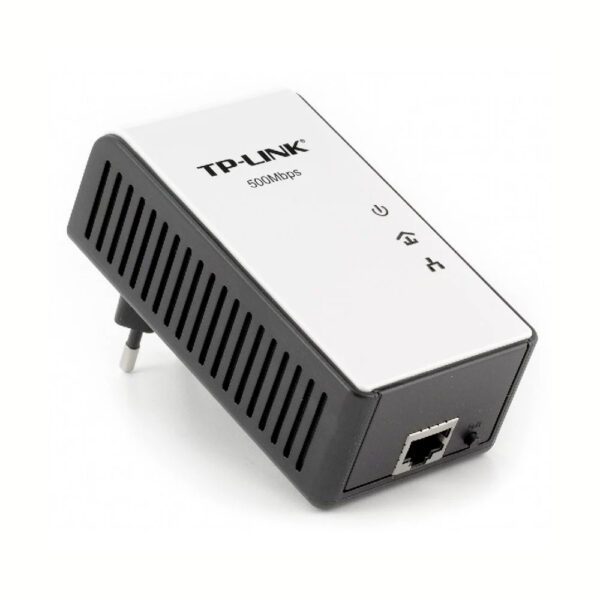
TP-Link RE200

AC750 Mesh Wi-Fi Range Extender

Original price was: 58 ₼.Current price is: 52 ₼.

Birbank logo
Installment payment calculator with Birbank
Installment payment terms apply to the non-discounted price
0%
2 mon.
0%
3 mon.
0%
4 mon.
0%
5 mon.
0%
6 mon.
Monthly payment 29 ₼
  • Boosts wireless signal to previously unreachable or hard-to-wire areas flawlessly.
  • Creates a Mesh network by connecting to a TP-Link OneMesh™ router for seamless whole-home coverage.
  • Compatible with 802.11 b/g/n and 802.11ac Wi-Fi devices
  • Dual band speeds up to 750 Mbps†
  • Miniature size and wall-mounted design make it easy to deploy and move flexibly
  • Ethernet port allows the Extender to function as a wireless adapter to connect wired devices
HARDWARE FEATURES
Plug TypeEU, UK, US, AU
Ports1 x 10/100Mbps Ethernet Port (RJ45)
ButtonWPS Button, Reset Button
Input Power100-240V~50/60Hz
Power ConsumptionAbout 6.5W
Dimensions ( W x D x H )4.3x 2.6 x 3.0in. (110.0 x 65.8 x 75.2mm)
Antenna3 Internal Antennas
WIRELESS FEATURES
Wireless StandardsIEEE 802.11a/n/ac 5GHz, IEEE 802.11b/g/n 2.4GHz
Frequency2.4GHz & 5GHz
Signal Rate300Mbps at 2.4GHz, 433Mbps at 5GHz
Working ModesRange Extender/Access Point
Reception Sensitivity5G:
390M: -60dBm
29.3M: -83dBm
180M: -64dBm
13.5M: -87dBm
78M: -68dBm
6.5M: -90dBm
54M: -75dBm
6M:-90dBm

2.4G:
270M: -70dBm
130M: -70dBm
108M: -73dBm
54M: -75dBm
11M: -86dBm
6M: -92dBm
1M: -94dBm

Wireless FunctionsEnable/Disable Wireless Radio
DFS (the latest firmware and hardware version is required)
Access Control
LED Control
Power Schedule
Wi-Fi Coverage
Wireless Security64/128/152-bit WEP
WPA-PSK / WPA2-PSK
Transmission Power< 20 dBm (EIRP)
Mesh TechnologyOneMesh
OTHERS
CertificationCE, FCC, RoHS
Package ContentsAC750 Wi-Fi Range Extender RE200
Quick Installation Guide
System RequirementsMicrosoft® Windows® 98SE, NT, 2000, XP, Vista or Windows 7, 8, 10, Mac® OS, NetWare®, UNIX® or Linux.
EnvironmentOperating Temperature: 0°C~40°C (32°F~104°F)
Storage Temperature: -40°C~70°C (-40°F~158°F)
Operating Humidity: 10%~90% non-condensing
Storage Humidity: 5%~90% non-condensing

Reviews

There are no reviews yet.

Be the first to review “TP-Link RE200”

Your email address will not be published. Required fields are marked *

Related Products

What TP-Link RE200 is and where to put it

TP-Link RE200 is a Wi-Fi extender (repeater): it picks up your existing signal and broadcasts it again. It is the quickest way to bring a dead zone — a balcony, kitchen, garage or upper floor — into the network without replacing the router.

The rule that matters: put the extender where the signal is still there but getting weak — roughly halfway between the router and the problem room. The most common mistake is putting it in the far room where the signal never reaches: it then amplifies a weak signal and nothing improves.

Key specifications

Boosts wireless signal to previously unreachable or hard-to-wire areas flawlessly.
Creates a Mesh network by connecting to a TP-Link OneMesh™ router for seamless whole-home coverage.
Compatible with 802.11 b/g/n and 802.11ac Wi-Fi devices
Dual band speeds up to 750 Mbps†
Miniature size and wall-mounted design make it easy to deploy and move flexibly
Ethernet port allows the Extender to function as a wireless adapter to connect wired devices

Price in Baku, delivery and installation

The current price on the site is 52 ₼. It includes the official TP-Link warranty, delivery in Baku and shipping to the regions on request.

If you also need installation, our Wi-Fi and router installation service starts from 25 ₼; the site visit and quote in Baku are free and we give a 6-month warranty.

Before you choose

For a comparison with the closest models, a price table and buying advice, see the guide for this category.

Frequently asked questions about TP-Link RE200

Does TP-Link RE200 reduce speed?

An extender receives and re-broadcasts on the same radio, so a device connected through it is slower than one on the router. Dual-band models lose less, because 5 GHz can be reserved for the link back to the router. If speed really matters, a mesh system or a powerline adapter is the better answer.

Does it have to match my router brand?

No, it works with any router or modem. But if your router supports OneMesh, TP-Link RE200 joins it under a single network name and devices roam between the points automatically — noticeably nicer than plain repeater mode.

How is it set up?

Two ways: press the WPS buttons on the router and the extender in turn, or set it up from your phone in the Tether app. The app also shows the signal level, which is the easiest way to find the best spot for the device.

What about warranty and delivery?

The device is sold by the official TP-Link partner in Azerbaijan with official warranty. Delivery in Baku is available and shipping to the regions is possible. If you need installation, see our services page.

Select the fields to display. The others will be hidden. Drag to reorder.
  • Image
  • SKU
  • Rating
  • Price
  • In stock
  • Availability
  • Add to cart
  • Short description
  • Description
  • Specifications
Click outside to hide the compare bar
Compare