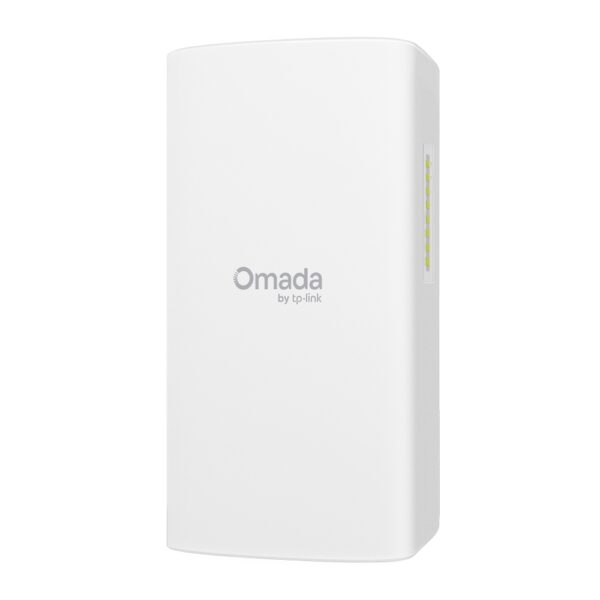
TP-Link EAP670

AX5400 Ceiling Mount WiFi 6 Access Point

Original price was: 457 ₼.Current price is: 413 ₼.

Birbank logo
Installment payment calculator with Birbank
Installment payment terms apply to the non-discounted price
0%
2 mon.
0%
3 mon.
0%
4 mon.
0%
5 mon.
0%
6 mon.
Monthly payment 228.5 ₼
Need installation too?Site visit and quote in Baku are freeOffice network setup →

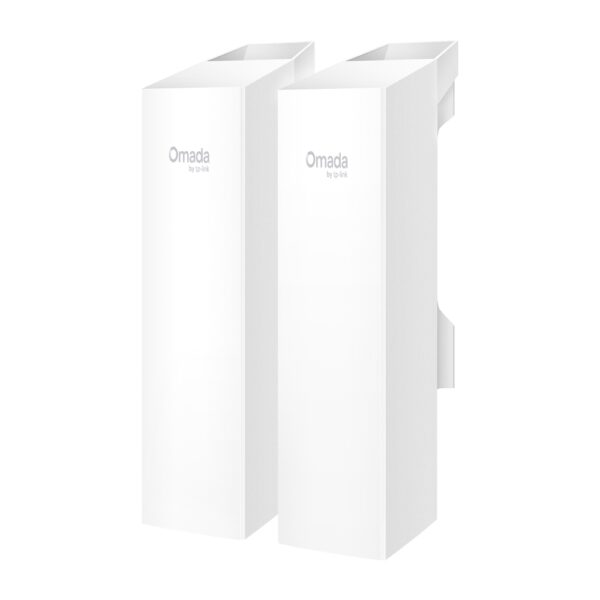
The TP-Link EAP670 is a ceiling-mounted Wi-Fi 6 access point for business. In an office, a hotel, a café, a shop, a clinic or a school it does what an ordinary home router cannot: it serves steady Wi-Fi to dozens, even hundreds of devices at once.

Speed is 574 Mbps on 2.4 GHz and 4804 Mbps on 5 GHz — AX5400 in total. 160 MHz channel support pushes twice as much data through one connection at peak times. 4804 Mbps on 5 GHz is aimed at video conferencing, cloud workstations and offices that move large files. The unit runs on 802.3at PoE+ or the DC adapter supplied in the box, and has a 2.5 Gigabit Ethernet port.

The unit joins the Omada SDN system: several access points are managed as one network, settings apply to all of them at once, and a new unit configures itself through ZTP (zero-touch provisioning). Seamless roaming keeps a connection alive as someone walks through the building — the phone hands over from one point to the next without a break. Omada Mesh extends coverage wirelessly where no cable can be run.

  • Wi-Fi 6 AX5400 (574 + 4804 Mbps)
  • 2.5 Gigabit Ethernet port
  • 802.3at PoE+ or DC adapter (included)
  • 160 MHz channel support
  • Omada SDN and ZTP
  • Seamless roaming
  • Omada Mesh
  • Ceiling mount

The unit is managed centrally by an Omada controller (cloud, software or hardware). Get in touch about project support. Sold in Baku with official partner warranty.

HARDWARE FEATURES
Interface 1× 2.5 Gigabit Ethernet (RJ-45) Port (supports IEEE802.3at PoE)
Button Reset
Power Supply • 802.3at PoE
• 12 V / 2 A DC (Power Adapter included)
Power Consumption • EU: 20.8 W
• US: 22.3 W
Dimensions ( W x D x H ) 8.7 × 8.7 × 1.3 in (220 × 220 × 32.5 mm)
Antenna Type Internal Omni
• 2.4 GHz: 2× 4 dBi
• 5 GHz: 4× 5 dBi
Bluetooth V5.2
Mounting Ceiling /Wall Mounting (Kits included)
WIRELESS FEATURES
Coverage 140㎡(1500 ft²)***
Concurrent Clients 250+**
Wireless Standards IEEE 802.11ax/ac/n/g/b/a
Frequency 2.4 GHz and 5 GHz
Signal Rate • 5 GHz: Up to 4804 Mbps
• 2.4 GHz: Up to 574 Mbps
Wireless Functions • 1024-QAM
• 4× Longer OFDM Symbol
• OFDMA
• Multiple SSIDs (Up to 16 SSIDs, 8 for each band)
• Enable/Disable Wireless Radio
• Automatic Channel Assignment
• Transmit Power Control (Adjust Transmit Power on dBm)
• QoS(WMM)
• MU-MIMO (5G: 4×4 DL/UL MU-MIMO)
• HE160 (160 MHz Bandwidth)‡
• Seamless Roaming(802.11k/v/r)§
• Omada Mesh§
• Band Steering
• Load Balance
• Airtime Fairness
• Beamforming
• Rate Limit
• Reboot Schedule
• Wireless Schedule
• Wireless Statistics based on SSID/AP/Client
Wireless Security • Captive Portal Authentication§
• Access Control
• Wireless Mac Address Filtering
• Wireless Isolation Between Clients
• SSID to VLAN Mapping
• Rogue AP Detection
• 802.1X Support
• WPA-Personal/Enterprise, WPA2-Personal/Enterprise, WPA3-Personal/Enterprise
Transmission Power • CE:
<20 dBm(2.4 GHz, EIRP)
<23 dBm(5 GHz, , band1 & band2, EIRP)
<30 dBm(5 GHz, , band3, EIRP)

• FCC:
<25 dBm (2.4 GHz)
<28 dBm (5 GHz)

MANAGEMENT
Omada App Yes
Centralized Management • Omada Hardware Controller (OC300)
• Omada Hardware Controller (OC200)
• Omada Software Controller
• Omada Cloud-Based Controller
Cloud Access Yes. Require the use of OC300, OC200, Omada Cloud-Based Controller, or Omada Software Controller.
Email Alerts Yes
LED ON/OFF Control Yes
Management MAC Access Control Yes
SNMP v1, v2c, v3
System Logging Local/Remote Syslog Local/Remote Syslog
SSH Yes
Web-based Management HTTP/HTTPS
L3 Management Yes
Multi-site Management Yes
Management VLAN Yes
Zero-Touch Provisioning Yes. Require the use of Omada Cloud-Based Controller.
OTHERS
Certification CE, FCC, RoHS
Package Contents • EAP670
• Power Adapter
• Ceiling/Wall Mounting Kits
• Installation Guide
System Requirements Microsoft Windows XP, Vista, Windows 7, Windows 8, Windows10, Windows11, Linux
Environment • Operating Temperature: 0–40 ℃ (32–104 ℉)
• Storage Temperature: -40–70 ℃ (-40–158 ℉)
• Operating Humidity: 10–90% RH non-condensing
• Storage Humidity: 5–90% RH non-condensing

Reviews

There are no reviews yet.

Be the first to review “TP-Link EAP670”

Your email address will not be published. Required fields are marked *

Related Products

TP-Link EAP670 — Omada access point

TP-Link EAP670 is part of the TP-Link Omada system: it is built to give steady Wi-Fi to many users at once — in an office, shop, cafe, hotel or warehouse. Unlike a home router it holds a large number of devices in parallel and is managed centrally.

Who it suits: places where 20–30 or more devices connect, offices spread over several rooms, shops and cafes that need guest Wi-Fi. The access points are gathered into one panel through an Omada controller (OC200 or cloud), and the guest network is kept separate from the main one.

Key specifications

Wi-Fi 6 AX5400 (574 + 4804 Mbps)
2.5 Gigabit Ethernet port
802.3at PoE+ or DC adapter (included)
160 MHz channel support
Omada SDN and ZTP
Seamless roaming
Omada Mesh
Ceiling mount

Price in Baku, delivery and installation

The current price on the site is 413 ₼. It includes the official TP-Link warranty, delivery in Baku and shipping to the regions on request.

If you also need installation, our Office network setup service starts from 200 ₼; the site visit and quote in Baku are free and we give a 6-month warranty.

Before you choose

For a comparison with the closest models, a price table and buying advice, see the guide for this category.

Frequently asked questions about TP-Link EAP670

Do I need a controller for TP-Link EAP670?

A single access point can run in standalone mode. From two points up a controller (the OC200 hardware, or the software/cloud version) makes life much easier: every point appears in one panel, settings are entered once, and roaming between points behaves properly.

How is it powered?

The access points are powered over the network cable via PoE — no socket needed in the ceiling. A PoE switch or the injector in the box does the job; as the number of points grows a PoE switch becomes the cheaper option.

Can I set up guest Wi-Fi in a cafe?

Yes. In Omada the guest network is a separate SSID with access to the main network blocked, and you can add a login portal, time limits and speed limits.

What about warranty and delivery?

The device is sold by the official TP-Link partner in Azerbaijan with official warranty. Delivery in Baku is available and shipping to the regions is possible. If you need installation, see our services page.

Select the fields to display. The others will be hidden. Drag to reorder.
  • Image
  • SKU
  • Rating
  • Price
  • In stock
  • Availability
  • Add to cart
  • Short description
  • Description
  • Specifications
Click outside to hide the compare bar
Compare