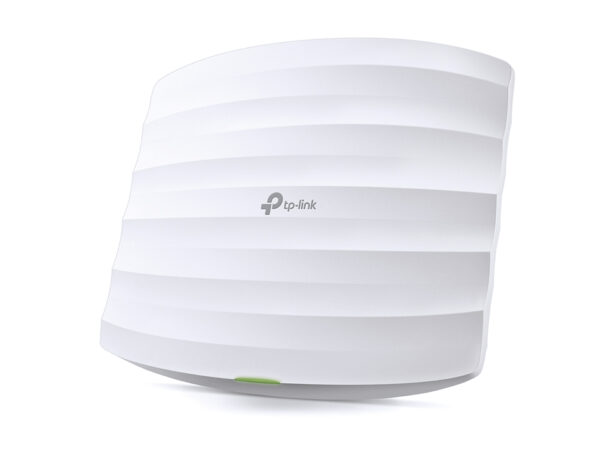
TP-Link EAP655-Wall

AX3000 Wall Plate WiFi 6 Access Point

Original price was: 282 ₼.Current price is: 256 ₼.

Birbank logo
Installment payment calculator with Birbank
Installment payment terms apply to the non-discounted price
0%
2 mon.
0%
3 mon.
0%
4 mon.
0%
5 mon.
0%
6 mon.
Monthly payment 141 ₼
  • Blazing-Fast AX3000 WiFi 6 Speeds:: Simultaneous 574 Mbps on 2.4 GHz and 2402 Mbps on 5 GHz totals 2976 Mbps WiFi speeds.†
  • Higher Network Efficiency: Deliver data to more devices at the same time with less lag.‡
  • Complete In-Room WiFi Coverage: Guaranteed strong signals and corner-to-corner WiFi coverage.
  • Multiple Gigabit Ports: Connect multiple devices with three downlink gigabit ports, one with PoE pass-through.
  • Centralized Cloud Management: Integrates into Omada SDN for cloud access and remote management.
  • Secure Guest Network: Implement multiple authentication options (SMS/Voucher) packed with high-quality wireless security technologies.§
  • Easy Installation and PoE Support: Easy-to-install design, compatible with 86 mm & EU & US standard junction box, and 802.3af/at PoE support.


HARDWARE FEATURES
Interface• Uplink: 1× Gigabit Ethernet Port
• Downlink: 3× Gigabit Ethernet Ports (One port supports PoE out. The PoE out feature requires 802.3at PoE+ input. The maximum power output for POE pass-through is 10.5 W (EU version) or 10 W (US version), based on laboratory testing.)
Physical Security LockNo
ButtonReset, LED
Power Supply802.3af/at PoE
Power Consumption• EU: 12W (802.3at PoE, PoE Out off)
• US: 12.6W (802.3at PoE, PoE Out off)
Dimensions143 × 86 × 42.6 mm (5.6 × 3.4 × 1.7 in)
Antenna2 Dual-Band Antennas
• 2.4 GHz: 2× 3 dBi
• 5 GHz: 2× 5 dBi
MountingWall Plate Mounting (Kits included)
WIRELESS FEATURES
Coverage50㎡(600 ft²)***
Concurrent Clients120+△
Wireless StandardsIEEE 802.11ax/ac/n/g/b/a
Frequency2.4 GHz and 5 GHz
Signal Rate• 5 GHz: Up to 2402 Mbps
• 2.4 GHz: Up to 574 Mbps
Wireless Functions• 16 SSIDs (Up to 8 SSIDs on each band)
• Enable/Disable Wireless Radio
• Automatic Channel Assignment
• Transmit Power Control (Adjust Transmit Power on dBm)
• QoS(WMM)
• Omada Mesh§
• Seamless Roaming(802.11k/v/r)§
• Beamforming
• Rate Limit
• Load Balance
• Airtime Fairness
• Band Steering
• Reboot Schedule
• Wireless Schedule
• RADIUS Accounting
• MAC Authentication
• Wireless Statistics
• Static IP/Dynamic IP
Wireless Security• Captive Portal Authentication§
• Access Control
• Wireless Mac Address Filtering
• Wireless Isolation Between Clients
• VLAN
• Rogue AP Detection
• 802.1X Support
• WPA-Personal/Enterprise, WPA2-Personal/Enterprise, WPA3-Personal/Enterprise
Transmission Power• CE:
<20 dBm (2.4GHz, EIRP)
<23 dBm (5GHz band1 & 2, EIRP)
<26 dBm (5GHz band3, EIRP)

• FCC:
< 21 dBm (2.4 GHz)
< 21 dBm (5 GHz)

MANAGEMENT
Omada AppYes
Centralized Management• Omada Hardware Controller (OC300)
• Omada Hardware Controller (OC200)
• Omada Software Controller
• Omada Cloud-Based Controller
Cloud AccessYes. Requiring the use of OC300, OC200, Omada Cloud-Based Controller, or Omada Software Controller.
Email AlertsYes
LED ON/OFF ControlYes
Management MAC Access ControlYes
SNMPv1, v2c, v3
System Logging Local/Remote SyslogLocal/Remote Syslog
SSHYes
Web-based ManagementHTTP/HTTPS
L3 ManagementYes
Multi-site ManagementYes
Management VLANYes
Zero-Touch ProvisioningYes. Requiring the use of Omada Cloud-Based Controller.
OTHERS
CertificationFCC, RoHS
Package Contents• AX3000 Wall Plate WiFi 6 Access Point EAP655-Wall
• Installation Guide
• Mounting Kits
System RequirementsMicrosoft Windows XP, Vista, Windows 7, Windows 8, Windows10, Windows 11, Linux
Environment• Operating Temperature: 0–40 ℃ (32–104 ℉)
• Storage Temperature: -40–70 ℃ (-40–158 ℉)
• Operating Humidity: 10–90% RH non-condensing
• Storage Humidity: 5–90% RH non-condensing

Reviews

There are no reviews yet.

Be the first to review “TP-Link EAP655-Wall”

Your email address will not be published. Required fields are marked *

Related Products

TP-Link EAP655-Wall — Omada access point

TP-Link EAP655-Wall is part of the TP-Link Omada system: it is built to give steady Wi-Fi to many users at once — in an office, shop, cafe, hotel or warehouse. Unlike a home router it holds a large number of devices in parallel and is managed centrally.

Who it suits: places where 20–30 or more devices connect, offices spread over several rooms, shops and cafes that need guest Wi-Fi. The access points are gathered into one panel through an Omada controller (OC200 or cloud), and the guest network is kept separate from the main one.

Key specifications

Blazing-Fast AX3000 WiFi 6 Speeds:Simultaneous 574 Mbps on 2.4 GHz and 2402 Mbps on 5 GHz totals 2976 Mbps WiFi speeds.†
Higher Network EfficiencyDeliver data to more devices at the same time with less lag.‡
Complete In-Room WiFi CoverageGuaranteed strong signals and corner-to-corner WiFi coverage.
Multiple Gigabit PortsConnect multiple devices with three downlink gigabit ports, one with PoE pass-through.
Centralized Cloud ManagementIntegrates into Omada SDN for cloud access and remote management.
Secure Guest NetworkImplement multiple authentication options (SMS/Voucher) packed with high-quality wireless security technologies.§
Easy Installation and PoE SupportEasy-to-install design, compatible with 86 mm & EU & US standard junction box, and 802.3af/at PoE support.

Price in Baku, delivery and installation

The current price on the site is 256 ₼. It includes the official TP-Link warranty, delivery in Baku and shipping to the regions on request.

If you also need installation, our Office network setup service starts from 200 ₼; the site visit and quote in Baku are free and we give a 6-month warranty.

Before you choose

For a comparison with the closest models, a price table and buying advice, see the guide for this category.

Frequently asked questions about TP-Link EAP655-Wall

Do I need a controller for TP-Link EAP655-Wall?

A single access point can run in standalone mode. From two points up a controller (the OC200 hardware, or the software/cloud version) makes life much easier: every point appears in one panel, settings are entered once, and roaming between points behaves properly.

How is it powered?

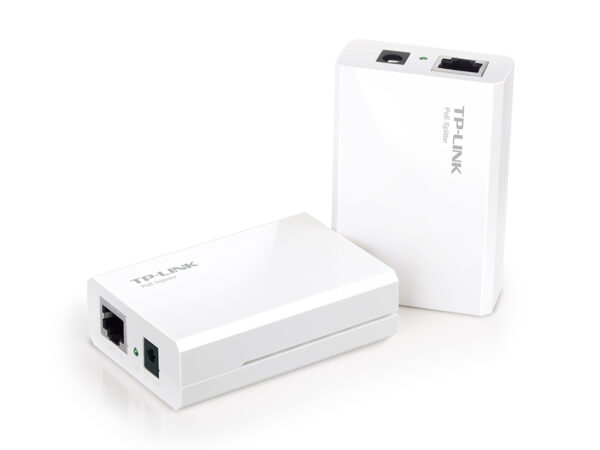
The access points are powered over the network cable via PoE — no socket needed in the ceiling. A PoE switch or the injector in the box does the job; as the number of points grows a PoE switch becomes the cheaper option.

Can I set up guest Wi-Fi in a cafe?

Yes. In Omada the guest network is a separate SSID with access to the main network blocked, and you can add a login portal, time limits and speed limits.

What about warranty and delivery?

The device is sold by the official TP-Link partner in Azerbaijan with official warranty. Delivery in Baku is available and shipping to the regions is possible. If you need installation, see our services page.

Select the fields to display. The others will be hidden. Drag to reorder.
  • Image
  • SKU
  • Rating
  • Price
  • In stock
  • Availability
  • Add to cart
  • Short description
  • Description
  • Specifications
Click outside to hide the compare bar
Compare