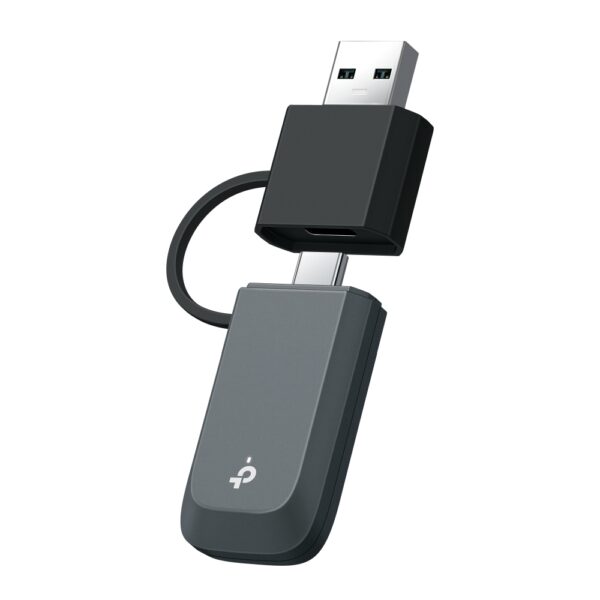
TP-Link Archer T4E

AC1200 Wireless Dual Band PCI Express Adapter

check availability

On requestWe will confirm the price and availability right away

Request a price
Need installation too?Site visit and quote in Baku are freeWi-Fi and router installation →
  • Easy Installation – Plug the adapter into an available PCI-E slot to upgrade your desktop
  • High Speed Wi-Fi – Up to 1200 Mbps Wi-Fi speeds (867 Mbps on 5 GHz band and 300 Mpbs on 2.4 GHz band)
  • 802.11ac Dual Band – 3 times faster than the 802.11n standard, perfect for high-intensity network usage

  • Beamforming – Wi-Fi signals are strengthened towards certain direction where client exists

  • Multiple-Size Brackets – Low profile and full heigh brackets are both provided, suitable for all PCs

  • 2×2 MIMO – Users can easily access to high-speed wireless connection

  • Broad Wireless Range – Two external antennas ensure greater Wi-Fi coverage and enhanced stability

HARDWARE FEATURES
Interface PCI Express
Dimensions ( W x D x H ) 4.8 x 4.5 x 0.85 in (120.8*115.2*21.5 mm)
Antenna Type 2 Dual Band Detachable Antennas
WIRELESS FEATURES
Wireless Standards IEEE 802.11ac/n/a 5 GHz
IEEE 802.11n/g/b 2.4 GHz
Signal Rate 5 GHz
11ac: Up to 867 Mbps(dynamic)
11n: Up to 300 Mbps(dynamic)
11a: Up to 54 Mbps(dynamic)

2.4 GHz
11n: Up to 300 Mbps(dynamic)
11g: Up to 54 Mbps(dynamic)
11b: Up to 11 Mbps(dynamic)

Reception Sensitivity 5 GHz :
11ac HT80: -59.5 dBm
11ac HT40: -63 dBm
11ac HT20: -68 dBm
11n HT40: -70 dBm
11n HT20: -73 dBm
11a 54Mbps: -76 dBm
11a 6Mbps: -92 dBm

2.4GHz :
11n HT40: -67.5 dBm
11n HT20: -70 dBm
11g 54Mbps: -72 dBm
11b 11Mbps: -86.5 dBm

Transmit Power 5 GHz : 24 dBm(FCC) / 23dBm(CE) (EIRP)
2.4 GHz : 25 dBm(FCC) / 20dBm(CE) (EIRP)
Wireless Modes Infrastructure mode
Wireless Security Support 64/128 bit WEP, WPA/WAP2, WPA-PSK/WPA2-PSK, 802.1x
Modulation Technology DBPSK, DQPSK, CCK, OFDM, 16-QAM, 64-QAM, 256-QAM
OTHERS
Certification CE, FCC, RoHS
Package Contents AC1200 Wireless Dual Band PCI Express Adapter Archer T4E
Low-Profile Bracket
Quick Installation Guide
Resource CD
System Requirements Windows 11/10/8.1/8/7/XP (32/64bit)
Environment Operating Temperature: 0℃~40℃ (32℉~104℉)
Storage Temperature: -40℃~70℃ (-40℉~158℉)
Operating Humidity: 10%~90% non-condensing
Storage Humidity: 5%~90% non-condensing

Reviews

There are no reviews yet.

Be the first to review “TP-Link Archer T4E”

Your email address will not be published. Required fields are marked *

Related Products

What TP-Link Archer T4E is for

TP-Link Archer T4E is an adapter that adds Wi-Fi to a computer or laptop. It is the simplest fix for a desktop PC with no built-in Wi-Fi and for older laptops with weak reception.

Buying advice: if your router supports 5 GHz (Wi-Fi 5/6), a dual-band adapter is worth it — a 2.4 GHz-only model throws away most of the speed. If the computer sits under a desk, a version with an extension cable or an external antenna will hold the signal better.

Key specifications

Easy InstallationPlug the adapter into an available PCI-E slot to upgrade your desktop
High Speed Wi-FiUp to 1200 Mbps Wi-Fi speeds (867 Mbps on 5 GHz band and 300 Mpbs on 2.4 GHz band)
802.11ac Dual Band3 times faster than the 802.11n standard, perfect for high-intensity network usage
BeamformingWi-Fi signals are strengthened towards certain direction where client exists
Multiple-Size BracketsLow profile and full heigh brackets are both provided, suitable for all PCs
2×2 MIMOUsers can easily access to high-speed wireless connection
Broad Wireless RangeTwo external antennas ensure greater Wi-Fi coverage and enhanced stability

Price in Baku, delivery and installation

Ask us for the current price and stock — every device is sold with the official TP-Link warranty and delivery in Baku is available.

If you also need installation, our Wi-Fi and router installation service starts from 25 ₼; the site visit and quote in Baku are free and we give a 6-month warranty.

Before you choose

For a comparison with the closest models, a price table and buying advice, see the guide for this category.

Frequently asked questions about TP-Link Archer T4E

Are drivers needed?

On current Windows versions most models are recognised as soon as they are plugged in. For full speed and the extra features, download the driver for your model from the TP-Link site.

Will the speed match the router?

If the adapter standard or band is lower than the router, the adapter becomes the limit. That is why the adapter is matched to the router — a Wi-Fi 6 router deserves a Wi-Fi 6 adapter.

USB or PCIe for a desktop?

A USB adapter is convenient and moves between computers; a PCIe card gives a steadier signal and room for an antenna. If the computer stays in one place and you can open the case, PCIe gives the better result.

What about warranty and delivery?

The device is sold by the official TP-Link partner in Azerbaijan with official warranty. Delivery in Baku is available and shipping to the regions is possible. If you need installation, see our services page.

Select the fields to display. The others will be hidden. Drag to reorder.
  • Image
  • SKU
  • Rating
  • Price
  • In stock
  • Availability
  • Add to cart
  • Short description
  • Description
  • Specifications
Click outside to hide the compare bar
Compare