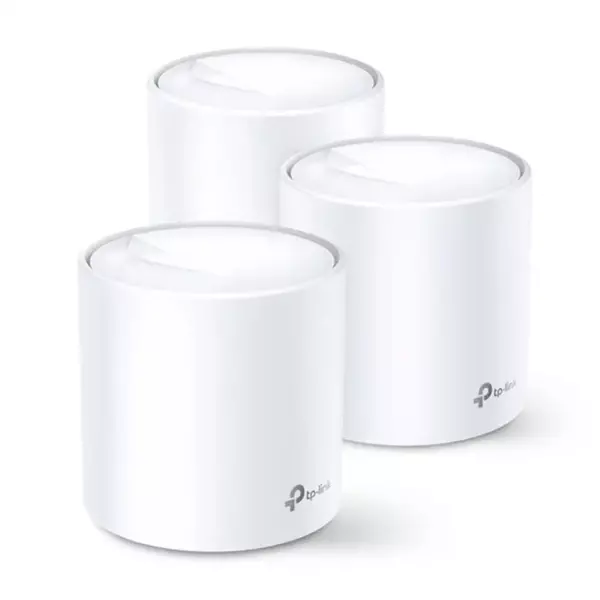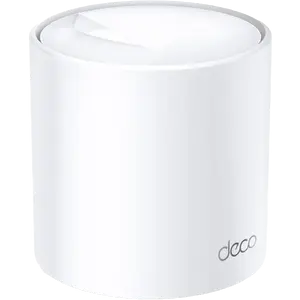
Mesh WiFi

Filters

About Mesh WiFi.

Mesh Wi-Fi for service providers: Deco-class units supplied as part of a subscriber kit, designed for mass rollout and remote management rather than retail sale.

The subscriber gets one network name across the flat and automatic handover between units; the provider gets TR-069 or cloud management, stable firmware and simple replacement. Contact us for project pricing and availability. We are the official TP-Link partner in Azerbaijan.

How to choose mesh Wi-Fi and Deco

A mesh system differs from an ordinary router in one way: several units together form a single Wi-Fi network. As you move between rooms your phone hands over to the nearest unit, the network name and password stay the same, and the connection does not drop. That is the difference from an extender, which creates a separate network and can halve your speed.

1. How many units you need

The rule is simple: one unit covers roughly 80–100 m² of open space. A two-room flat usually needs one or two units, a three or four-room flat two, a two-storey house three. With thick concrete walls, add one more. That is exactly why Deco is sold in 1, 2 and 3-pack kits.

2. Deco model comparison

ModelStandardFeatureBest for
Deco E4Wi-Fi 5 (AC1200)Entry-level meshSmall flat, budget setup
Deco M4Wi-Fi 5 (AC1200)Stronger antennasTwo to three rooms
Deco X50Wi-Fi 6 (AX3000)Stable with many devicesSmart home, 15+ devices
Deco X50-PoEWi-Fi 6Powered over EthernetHomes or offices with structured cabling
Deco PX10Wi-Fi 6 + PowerlineCarries signal over mains wiringThick walls, distant rooms
Deco BE22, BE25Wi-Fi 7Top speed, lowest latencyLarge flats, 300+ Mbps plans
Deco BE25-OutdoorWi-Fi 7, outdoorWeather resistantYard, garden, poolside

3. How it works with your provider

Deco connects behind the provider modem (Aztelekom, Baktelecom, Citynet and others). If the modem is in bridge mode, Deco establishes the PPPoE connection itself; if the modem already routes, Deco is switched to Access Point mode. Setup runs step by step in the Deco app and takes about ten minutes.

4. Mesh or extender?

If the signal is weak in one room and the budget is tight, an extender is enough. If you need steady coverage across the whole home with many devices, mesh is the right answer. You can also keep your current router and add Deco in access point mode.

Frequently asked questions

Can I use Deco with my existing router?

Yes. Switch Deco to Access Point mode and connect it to the router with a LAN cable — the router keeps handing out IP addresses.

Do the units need a cable between them?

No, they link wirelessly. But if you can connect them with Ethernet, the backhaul gives higher speeds.

Can different Deco models be mixed?

Yes, Deco models work together in one network. Overall throughput then follows the weakest unit.

Is Wi-Fi 7 Deco worth it?

If your plan is above 300 Mbps or the home is full of 4K streams and gaming — yes. Otherwise the Wi-Fi 6 models such as the X50 are the more balanced choice.

Do you help with installation?

Yes, we install and configure in Baku — contact us through the support section or on WhatsApp.

Need installation too?

Router and mesh setup, ISP configuration and a Wi-Fi survey — from 25 ₼. Free site visit and quote in Baku, six months warranty.

Wi-Fi installation service →
Select the fields to display. The others will be hidden. Drag to reorder.
  • Image
  • SKU
  • Rating
  • Price
  • In stock
  • Availability
  • Add to cart
  • Short description
  • Description
  • Specifications
Click outside to hide the compare bar
Compare